00NeriPlayer · Android audio player

Many sources, local first, native Android.

NeriPlayer brings NetEase Cloud Music, Bilibili, YouTube Music and your local audio into one player — then adds word-by-word lyrics, a GLSL fluid background, USB exclusive output and sync that belongs to you alone.

Built on Jetpack Compose + Media3, for Android 9 and up. Free and open source under GPL-3.0.

Signals Multi-source Local first Self-hosted sync

Listening together tonight?

Fig. 00 — Neri and Noir the black cat, crayon on paper
scroll

01Now Playing · 正在播放

Every song has its own colors.

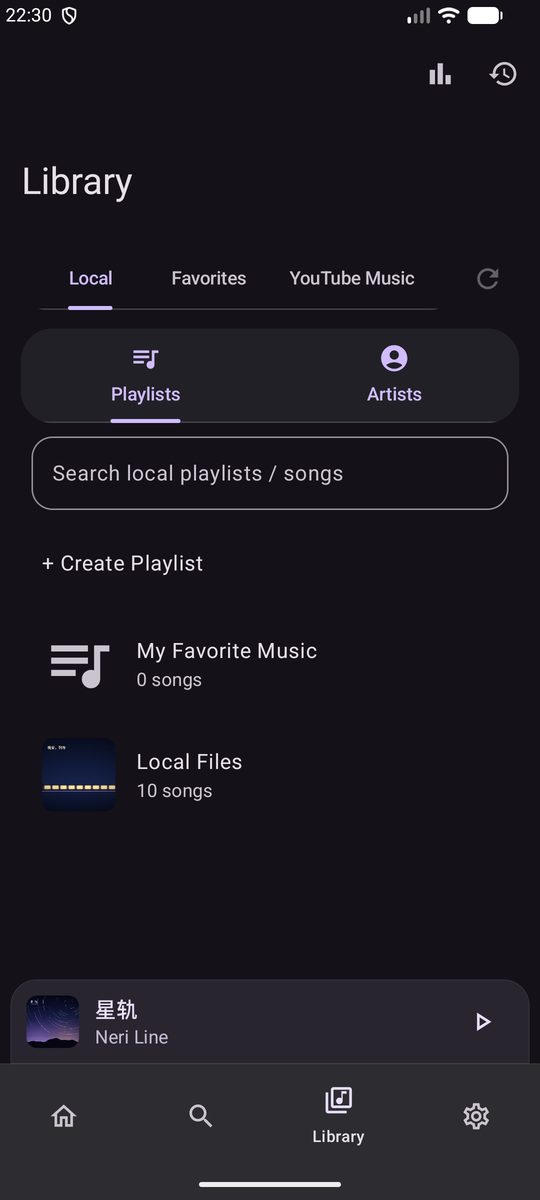
The phone below is redrawn from the app's source and checked against real screenshots item by item — layout, sizes, colors and how every button responds. The demo track “星轨” (Startrail) comes from NeriPlayer PV; press play and it really sings.

Colors pulled from the cover, blended into a flowing background
5colors
The fluid background needs Android 13 or later; older versions get a plain one
Android13+

Media3 / RuntimeShader

01Cover colors, turned into a fluid background

The Now Playing background is drawn by BgEffectPainter, which loads a GLSL / AGSL shader and renders it frame by frame through RuntimeShader. Palette first pulls five color roles from the cover — Base, Accent, Light, Dark and Bridge — then blends them into flowing patches and grain, wired to uMusicLevel / uBeat so it moves with the beat. It is not just a Gaussian-blurred cover.

Base Accent Light Dark Bridge

This background is the app's own shader, ported to WebGL ↗

WaveformSlider

02Progress and controls, right where your thumb is

While playing, the progress bar becomes a slowly flowing wave; on pause it settles into a straight line, and while buffering it turns into a beating pulse. Underneath, quality, codec and format show as configured — like RAW · 48 kHz for this FLAC — and dragging gives haptic ticks along the lyric timeline.

Now Playing controls position

Holding the phone in one hand? Move shuffle, previous, play, next and repeat down within thumb reach, and bring the progress bar along if you like. While the controls sit at the bottom, the Dock becomes a regular toolbar so the two never overlap.

  1. 01About 30 dp wavelength and 2.3 dp amplitude, one cycle every two seconds
  2. 02Tap the quality tag to switch; speeds other than 1.00× get their own label
  3. 03Controls on Now Playing and the lyrics page each come in small, medium and large

SyncedLyricsView

03Word-by-word lyrics on the cover page, too

Under the controls sits a strip of synced lyrics: the current line lights up word by word, its translation follows only that line, and the rest fade quietly to the side. Tap a line to jump there, long-press to share. If it feels crowded, the cover-page lyrics and the bottom toolbar can each be turned off.

  1. 0118 sp on the cover page, 14 sp for translations, sized separately from the lyrics page
  2. 02Swipe left for the full lyrics page

PlaybackEffectsController

04Audio effects & speed

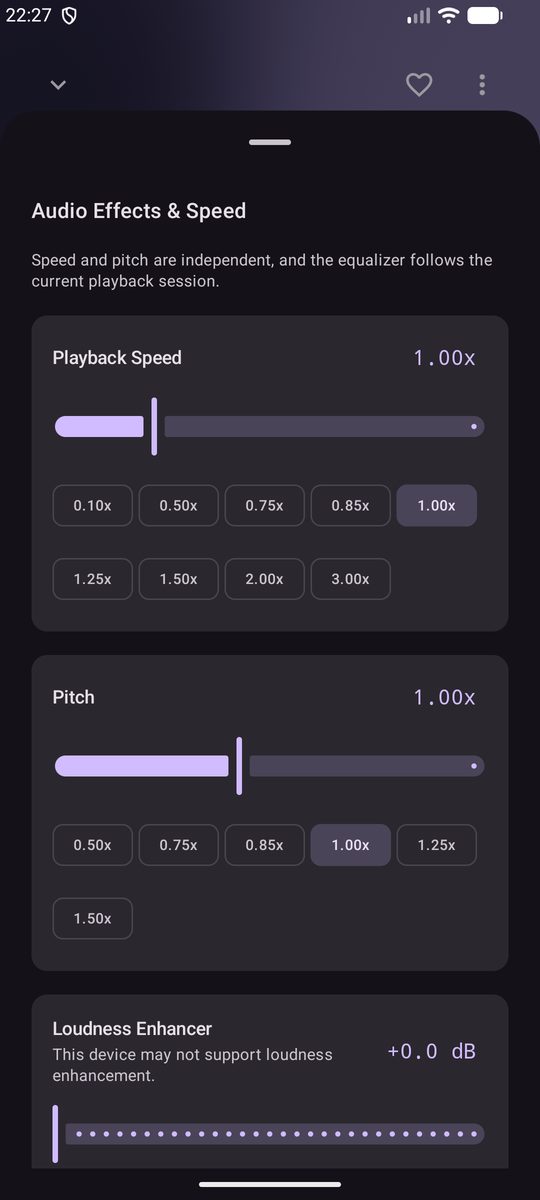
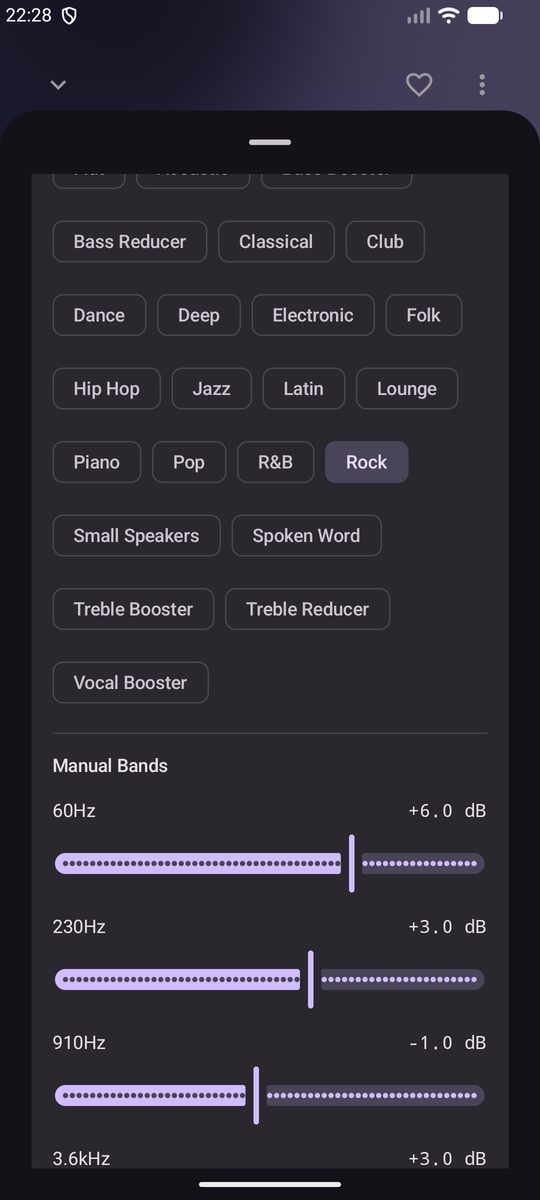
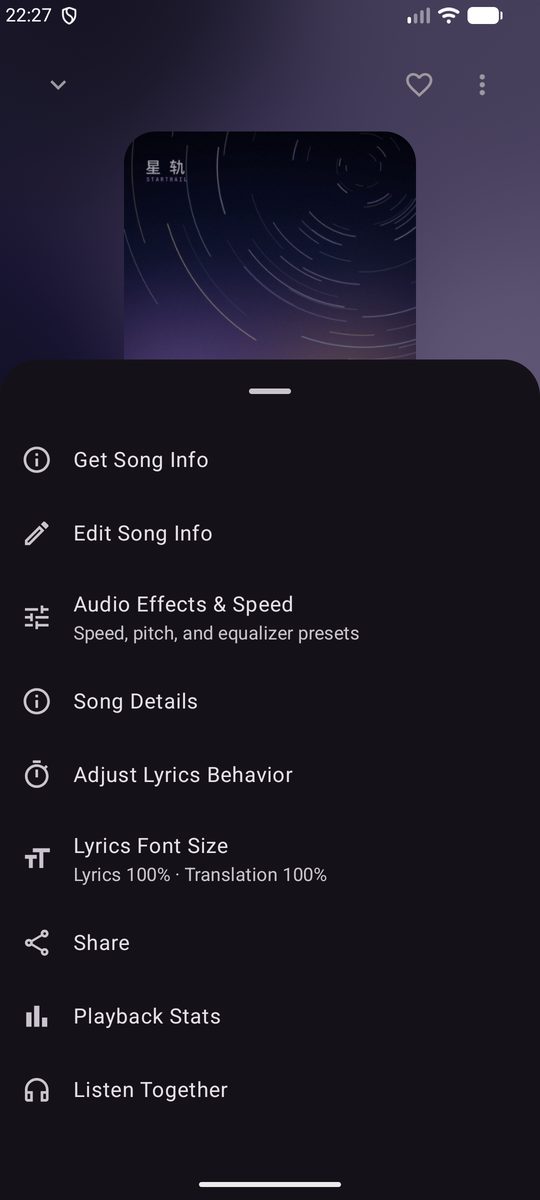
Tap “More” in the top-right corner, then “Audio Effects & Speed”: speed and pitch are set independently, loudness enhancement steps in dB, and the equalizer binds to the current playback session with 23 built-in system presets — or drag the manual bands from 60 Hz to 14 kHz one by one. Playback settings add per-track real-time loudness normalization, channel balance, 32-bit hi-res output, fades and crossfades.

Press play first, then try a preset or a speed — you'll actually hear it change ↗

No.NP-01Version—PlatformAndroidPage01 / 12
StatusAndroid 9+ · fluid background & advanced blur need Android 13+
Sourcecwuom/NeriPlayer · 3.7k · 131Date—
Demo track“星轨” · Neri Line · NeriPlayer PVNP
“星轨” cover Local Files
星轨 Neri Line
00:08 01:12

RAW·48 kHz

Audio Effects & Speed

Speed and pitch are independent, and the equalizer follows the current playback session.

Playback Speed1.00x
Pitch1.00x
Loudness EnhancerThis device may not support loudness enhancement.+0.0 dB
EqualizerPresets

Speed, pitch, and equalizer presets


Manual Bands
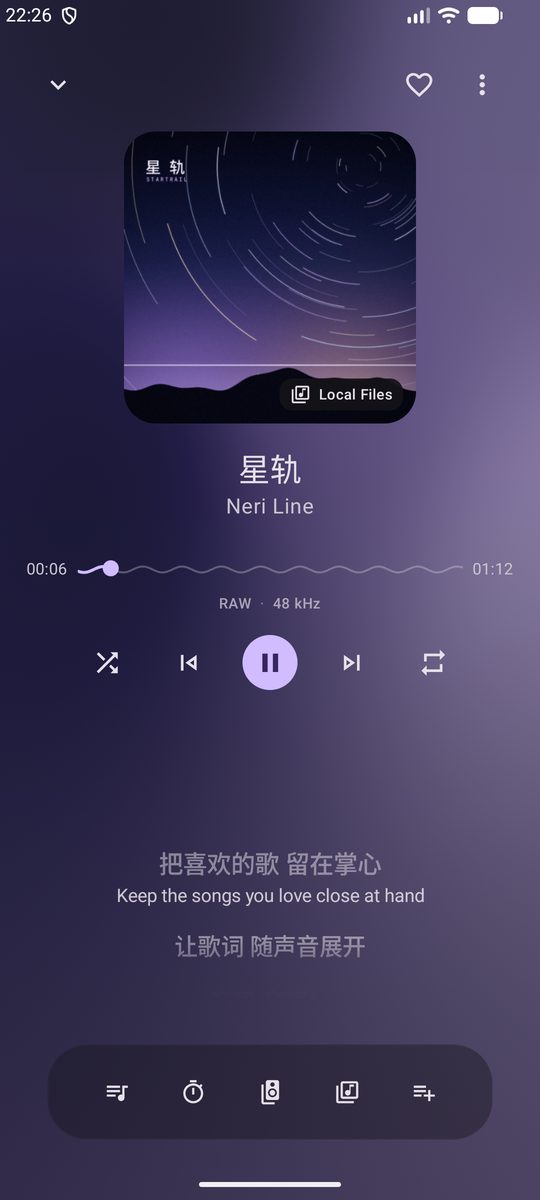
Fig. 01 — Now Playing · every button works

02Lyrics · 歌词

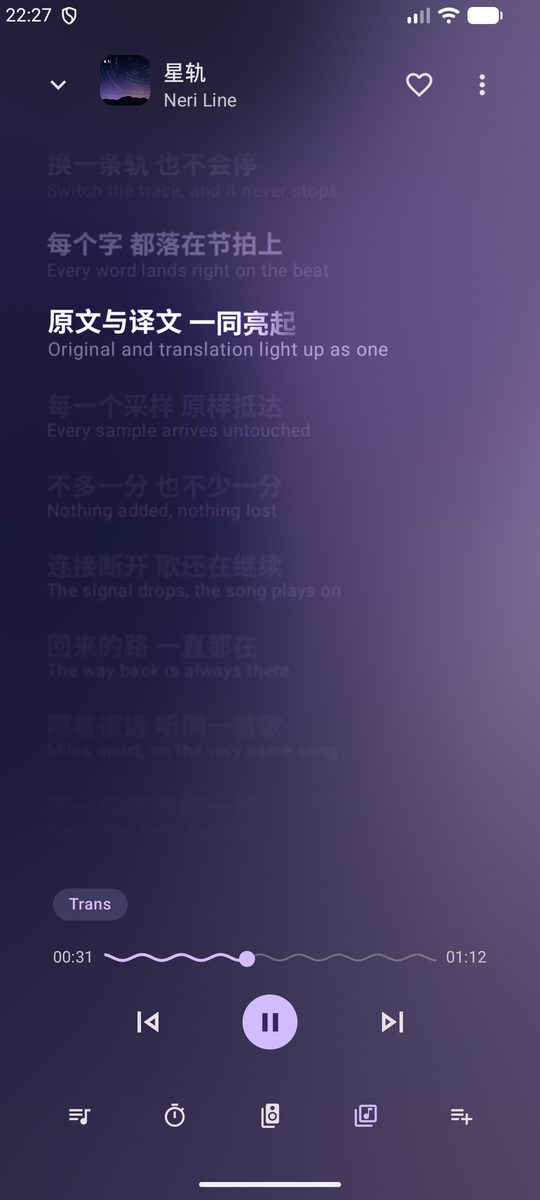
Original and translation, lit as one.

The full lyrics page hands the whole screen to the words: the current line turns bold and bright, the translation sits right beneath it, and distant lines slowly blur away with depth of field. The “Trans” chip in the lower left tucks translations away or brings them back.

星轨Neri Line
00:13 01:12
Fig. 02 — Lyrics page, the word-level timeline of “星轨”

LRC / YRC / TTML

02Deep lyrics, in the spirit of Apple Music

Line-synced and word-synced LRC (including line-end times and bracketed word timestamps), YRC and TTML are all supported. The lyrics page only shows options the current song can actually use, and after a track change it waits until lyrics are resolved before fading in — no flash of empty space.

  1. 01Tap a line to jump to it; long-press to select lyrics, copy text, share the song or render a 1080px lyric card
  2. 02Lyric offsets can default per source; font sizes are set separately for the cover page and the lyrics page
  3. 03Source preference: Auto / NetEase / Kugou / QQ Music / LRCLIB / AMLL TTML, with word-synced lyrics preferred when matching by hand
  4. 04Floating lyrics, status-bar lyrics, SuperLyric, Lyricon and Bluetooth lyrics all reuse the same playback data

Fig. 02b — with romanization (illustration)

星の線路を そっと辿って

hoshi no senro wo sotto tadotte

For Japanese songs that ship with romanization, the secondary line can switch to it: it also sits right beneath the original, taking the translation's place instead of floating above. When a song has no romanization, the option simply isn't there — like “星轨” above, which only has “Trans”.

Fig.Emulator screenshots · Android 16 · 1080 × 2400

No mockups — captured straight from the emulator ↓

Now Playing screenshot
Now Playing
Lyrics page screenshot
Lyrics
Audio effects & speed screenshot
Audio Effects & Speed
Equalizer screenshot
Equalizer
More options screenshot
More options
Library screenshot
Library

03Sources · 多源

One player, four lines.

Each platform is searched on its own and never mixed in — yet playback, downloads, playlists, history and stats share one set of local data and one playback core. Source resolution, failure recovery and automatic fallback are all orchestrated by PlayerManager.

NetEase Cloud Music · Bilibili · YouTube Music
3online platforms
Songs on your phone, imported with their lyrics and covers
+local audio
NetEase · Kugou · QQ Music · LRCLIB · AMLL TTML
5lyric sources

Login · Search · Play · Download · Comments

01

NetEase Cloud Music

From daily picks and Personal FM to artist pages, NetEase is the most complete line.

  1. 01QR code / web login; the home page shows charts, new songs, daily picks, Personal FM, radar and curated playlists
  2. 02Search songs, playlists or artists, with the next page loading as you reach the bottom
  3. 03Playlist and album details are cached; on network failure it falls back to the last successful load
  4. 04Artist pages with top songs and paged albums; followed artists show up under Favorites
  5. 05Comments: hot / latest / recommended, nested replies, likes, posting and replying — drafts survive a failed send
  6. 06Your local “Liked Songs” can sync back to NetEase
Login✓Download✓
Search✓Lyrics✓
Playlists✓Comments✓

Favorites · Collections · Multi-part

02

Bilibili

Listen to video favorites like playlists: multi-part videos play and download as audio, with collection context kept all the way through.

  1. 01Web and QR login, video search, created / subscribed favorites and collections
  2. 02DASH audio retries, falling back to html5 / mp4 progressive streams when needed
  3. 03Optional BilibiliSponsorBlock: only a SHA-256 prefix of the BV ID is sent, and segments are skipped locally
  4. 04Custom skip ranges saved per BVID + CID, syncable via GitHub / WebDAV
  5. 05Comments with hot / latest, paged nested replies, likes and replies

Account sessions · Playback compatibility

03

YouTube Music

In international mode, the home page puts YouTube Music playlists and song shelves first.

  1. 01Login, home / library playlists, playlist details and search
  2. 02Logged-in cookies and anonymous visitor sessions are kept apart, with protected cookie rotation
  3. 03PoToken / JS Challenge, reusing cached bootstrap and player.js first
  4. 04When a candidate is rejected it falls back to EJS / HLS instead of retrying the same one
  5. 05Can be switched off entirely in “Settings > General” — no entry points and no background warm-up when off

These capabilities only cover account sessions, playback compatibility and error recovery. They do not mean bypassing platform restrictions or redistributing media.

Import · Scan · Organize

04

Local audio

Songs in a folder move into your library along with the lyrics and covers sitting next to them.

  1. 01Import via system share or “Open with”, scan the media library, or scan granted folders directly
  2. 02Recognizes lrc / txt lyrics and cover / folder / front artwork
  3. 03Large scans show a quick preview first, then fill in titles, artists, albums and covers in the background
  4. 04Groups by artist automatically, splitting feat. / with / 和 / 与 / slashes and other ways of writing collaborations

Automatic fallback

05

Playback fallback

When a song won't play, NeriPlayer looks for another way first instead of just throwing an error.

  1. NetEase can't play itNo permission, no usable result, or only a preview clip
  2. Lower the qualityTry each lower quality in turn
  3. Try BilibiliMatch by a title, artist and duration score
  4. Try local audioMatch readable local audio by stable metadata
  5. Still failingRefresh the playback link first; skip or stop after repeated failures

Bilibili and local fallback are off by default — switch them on yourself

Fig. 03e — the fallback flow

04Hi-Fi · 音质

Every sample, arriving untouched.

In USB exclusive mode a native driver takes over compatible USB audio devices, so system sounds and other apps no longer share the channel. Turn on bit-perfect volume and software gain is pinned at 0 dB, handing volume back to the DAC.

  1. SourceFLAC · 24bit / 48kHz
  2. Media3ExoPlayer decoding
  3. EffectsEQ · loudness · speed
  4. AudioSink32-bit PCM / float
  5. lib_neri.soUSB exclusive transfer
  6. USB DACUAC1.0 · UAC2.0

Bit-perfect skips the effects chain ↷

Software gain −3.2 dB · through the effects chain
Fig. 04 — the signal chain from decoder to DAC
  1. 01UAC1.0 · UAC2.0 Type I PCMDevice selection, sample rate / bit depth / buffer strategy and compatibility switches
  2. 02Follows the source sample rateTries the source rate from the USB descriptors first, falling back to a rate the device supports
  3. 0332-bit PCMPCM float converted in software to the device's format
  4. 04Explicit feedback clockParses the UAC2 clock topology and feedback endpoints, recapturing after long scheduling gaps
  5. 05Recovers from stallsStartup watchdog, health audits, in-place reconfiguration and dynamic transfer scaling, falling back to system playback if it must
  6. 06Seamless in the backgroundWake strategy chosen by network or local source; USB exclusive resumes when you come back
  7. 07Regular output, done properly32-bit hi-res output, real-time loudness normalization, channel balance, pause on Bluetooth disconnect
  8. 08Honest boundariesImplicit feedback or unverifiable topologies reject the native candidate and take the compatible fallback

05Listen Together · 一起听

Miles apart, on the very same song.

Open a room, share an invite, and everyone's playback stays aligned in real time over WebSocket. The server runs on Cloudflare Workers and Durable Objects, and you can deploy your own in one click.

  1. 01Host · listenersMember control switches and control requests, with host offline detection and recovery
  2. 02Same line, same secondEstimates the server clock offset and corrects past a drift threshold; single-track repeat wraps around by duration
  3. 03A shared queueDrags, adds and removals merge by room version; shuffle reuses the host's actual shuffled order
  4. 04Safe invitesJoining for the first time needs an invite key, and member keys never appear in public room state
  5. 05Candidate sharingOptionally share the host's resolved playback candidates, up to 3 per track, never written to the offline cache
LTWWorkers · DO
NeriHost
NoirListener
KaruhaListener

Room NR7K2Q · live sync

Fig. 05 — three people, one room

06Local & Offline · 本地与离线

The signal drops, the song plays on.

Playback cache, downloads, playlists, history and settings all stay on your device by default. When the network drops, Home, Explore, Now Playing, lyrics, playlists and downloads switch into offline mode and keep running on local files and cache.

06.1

Offline mode

NetworkStatusMonitor detects being offline from the system's default network; while offline, remote image requests are blocked and cached covers come first.

  • Online explore & home refresh
  • Local files & downloaded songs
  • Playback cache & cached covers
  • Local playlists, recents & stats
06.2

Downloads that pick up where they left off

6 at once · up to 8
  • 星轨.flacDownloading
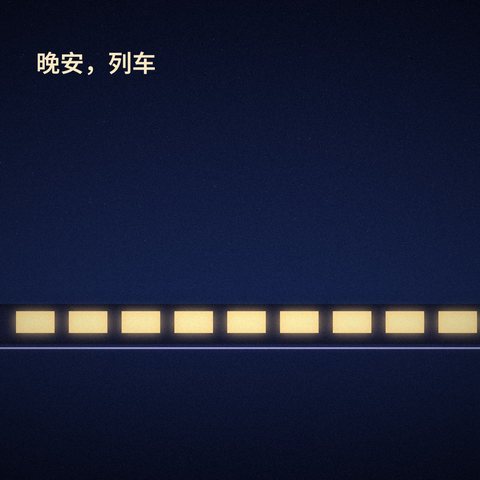
  • 晚安,列车.mp3Downloading
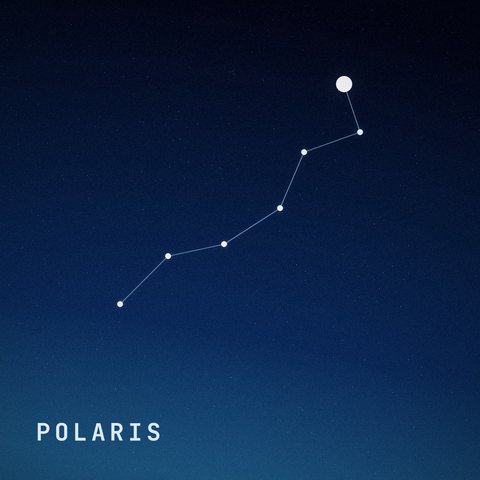
  • Polaris · HLSDownloading

No system DownloadManager: plain HTTP appends with Range, chunked transfers resume by offset, and HLS recovers from checkpoints. The queue is persisted and resumes after a restart; canceling by hand cleans up partial files.

06.3

Storage, at a glance

  • Audio cache1.0 GB
  • Image cache236 MB
  • Platform playlist cache142 MB
  • Downloads896 MB
  • Logs & crash reports9 MB
  • Core app data230 MB

Cleanup only touches caches that can be rebuilt — songs you chose to download are never treated as cache. The audio cache is capped at 1 GB by default.

06.4

Local artists, sorted for you

Neri feat. Noir / Karuha、Hanae

NeriNoirKaruhaHanae

Splits on feat., with, 和 / 与, the Chinese list comma, semicolons and slashes; artist pages can play everything, multi-select into a playlist, or batch-download online songs.

06.5

Playlist mistakes, undone

  1. 01Deleting a playlist or a song can be undone, and batch exports can roll back what they added
  2. 02Insert selected songs at a chosen position, previewing 5 songs of context on each side first
  3. 03“Local Files” is split into “Manually Added” and “Downloaded”, with total play counts in the details
06.6

Data usage, accounted for

Separates playback / download traffic, Wi‑Fi / mobile / roaming and cache hits, and warns before downloading on risky networks.

07Sync & Privacy · 同步与隐私

Your data, in your hands only.

NeriPlayer has no central server. Metadata such as playlists, favorites, recent plays and play stats only syncs to your own GitHub repository (private by default when created in the app) or WebDAV.

  1. 015-second delay · hourlyLocal changes sync after a short delay, plus a periodic sync; scheduled by WorkManager and only run on validated networks
  2. 02Three-way mergePlaylists, favorites, history, deletion records and play stats all merge, and a song you restored won't be removed again by an old deletion
  3. 03V4 incremental formatProtobuf record streams + ZSTD chunks, no object over 2 MiB, and unchanged chunks are never uploaded again
  4. 04Atomic publishingGitHub updates conditionally via GraphQL beforeOid; WebDAV uploads immutable objects first, then writes the manifest with a strong ETag
  5. 05Encrypted on deviceCookies, YouTube auth, GitHub tokens and WebDAV passwords live in Android Keystore + EncryptedSharedPreferences

Four promises

  1. 01
    No ads, no tracking.

    No ad SDKs, third-party analytics or crash-reporting SDKs.

  2. 02
    No public music library.

    No cloud media distribution, and no personal data gathered into the maintainers' hands.

  3. 03
    Credentials stay on the device.

    Audio cache, downloads, cookies and playback tokens are never uploaded.

  4. 04
    Your accounts, protected.

    Local play history is never written back to third-party platforms, so it won't trip risk controls or suspicious-login checks.

07bPlay stats

Play counts, listening time and daily buckets are recorded against each song's stable identity, and they take part in sync merges too.

plays
186
hours listened
11.2
songs
74

Listening time

Week / month / year use rolling 7 / 30 / 365-day windows; the weekly hot list only counts songs with at least 10 minutes of total listening, and the monthly list needs 30. Neither the GitHub repository nor the WebDAV files are end-to-end encrypted, so keep them safe.

08Personalize · 个性

More than a new accent color.

Settings are generated from a single AutoSettingsSchema: dynamic color, seed color, theme style, light / dark, UI scale, custom backgrounds… The home screen on the right is redrawn from the real layout — go on, pick up a crayon.

Seed color
Dark mode
  1. 01Dynamic color, seed color and theme style, with auto / light / dark
  2. 02OnePlus high-density screens get an automatic 0.95× correction, with your setting applied on top
  3. 03Android 13+ can turn on advanced blur, adjustable from 12–64 dp, in ultra-low / low / default / high quality
  4. 04“Continuous feedback” hands the background on to detail pages in one motion; when off, pages open like a drawer
  5. 05Lyric size and blur, home cards, start page, haptics — even each song's title, artist and cover

NeriPlayer

Continue

Local Files10 songs
Neri Line2 songs
NeriPlayer PV10 songs

Personal Radar

  1. 1
    PolarisNeri Line / NeriPlayer PV
  2. 2
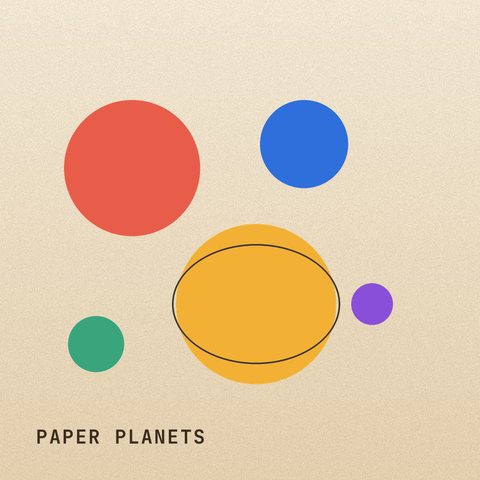
    Paper PlanetsNeri Line / NeriPlayer PV
  3. 3
    Low OrbitNeri Line / NeriPlayer PV

Radar Playlists

Radar时光
雷达
时光雷达1.6B · 30 songs
Radar宝藏
雷达
宝藏雷达873.1M · 30 songs
Radar新歌
雷达
新歌雷达359.8M · 30 songs
Radar乐迷
雷达
乐迷雷达283.4M · 30 songs
Radar神秘
雷达
神秘雷达37.9M · 30 songs

Trending

  1. 1
    海边的信号Glass Harbor / NeriPlayer PV
  2. 2
    猫与汽水Soda Cat / NeriPlayer PV
  3. 3
    雨后电台Paper Satellite / NeriPlayer PV

New Picks

星轨Neri Line
Fig. 08 — Home, redrawn from the real layout

09Tablet · 平板

A bigger screen, a different layout.

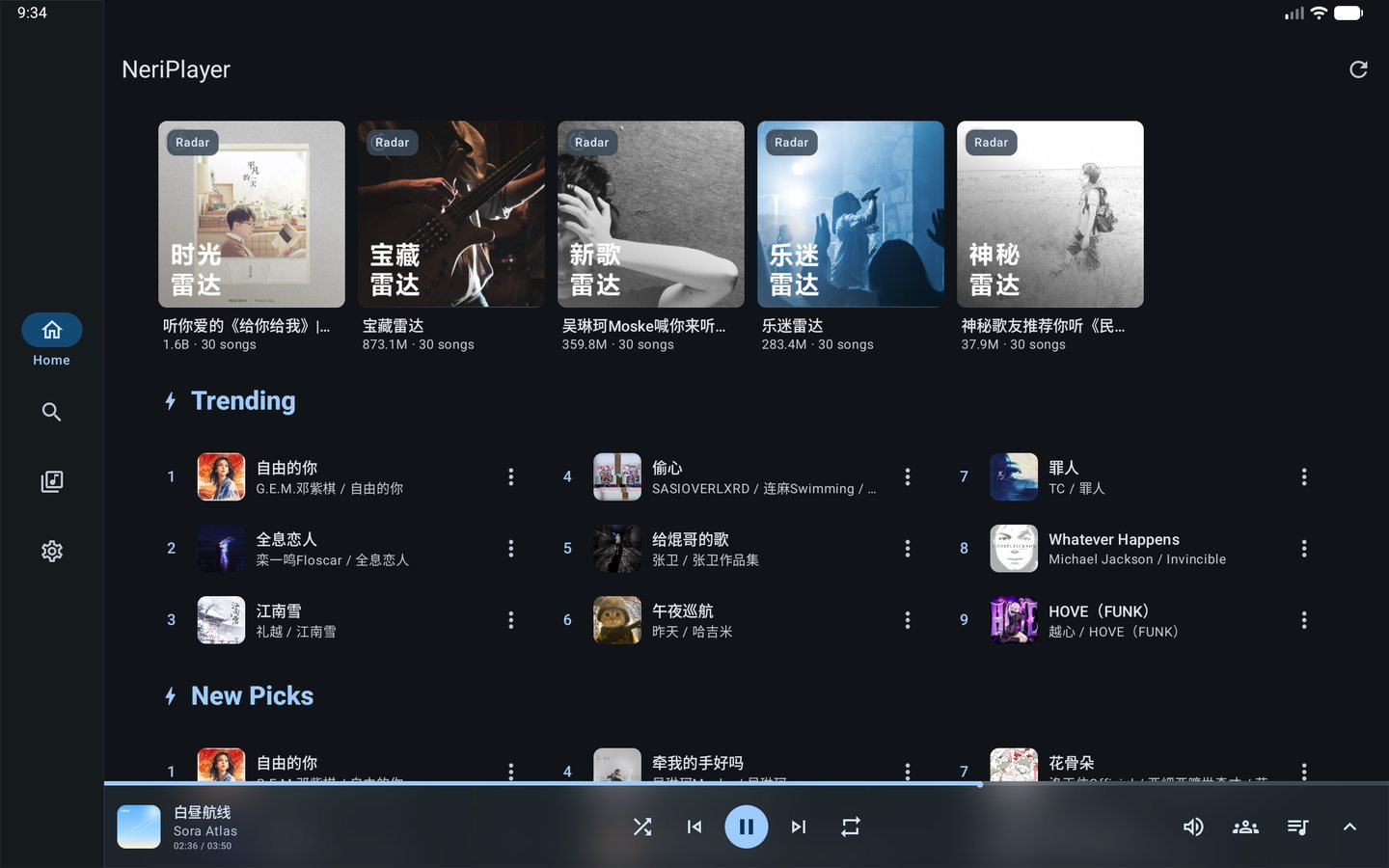
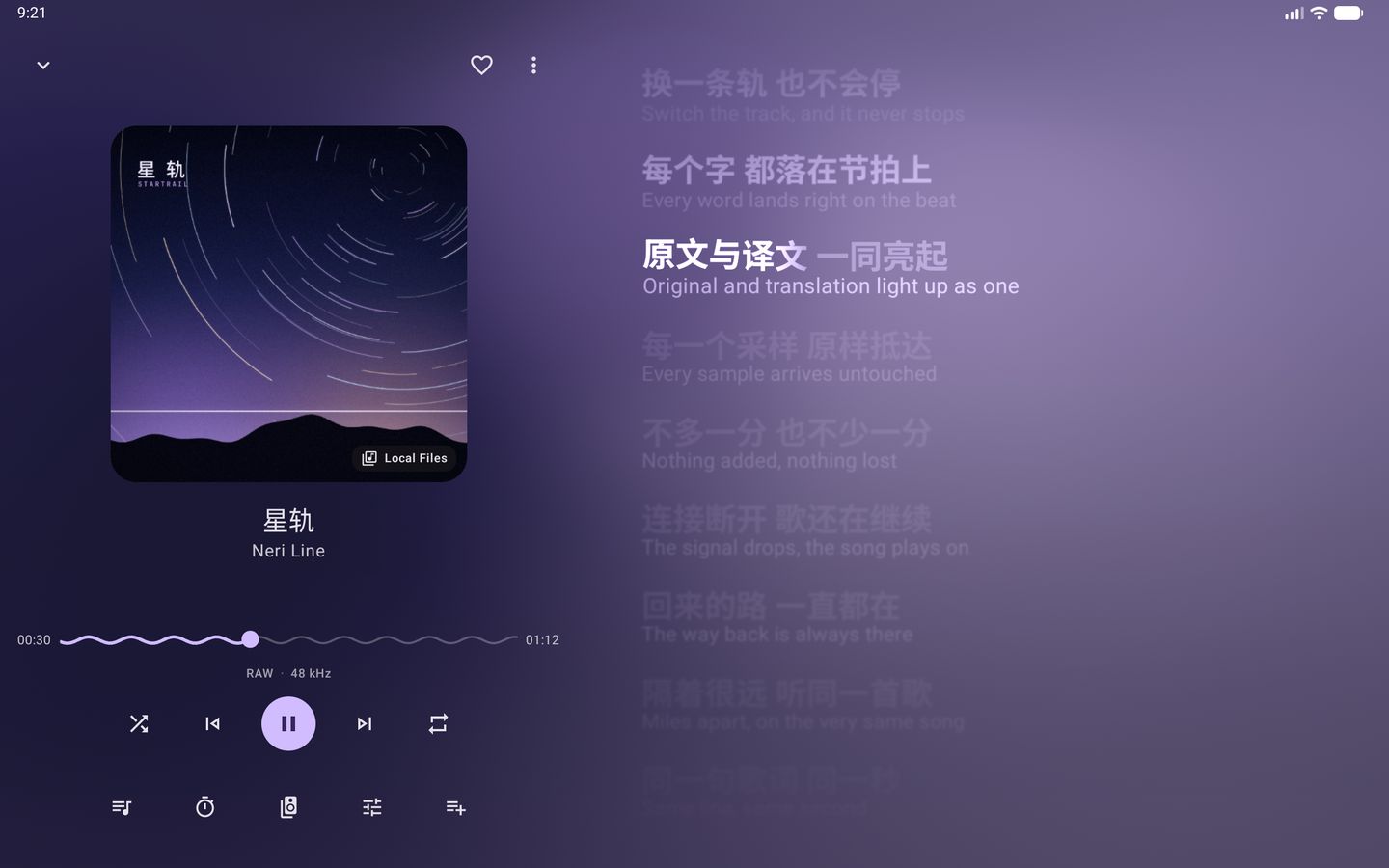
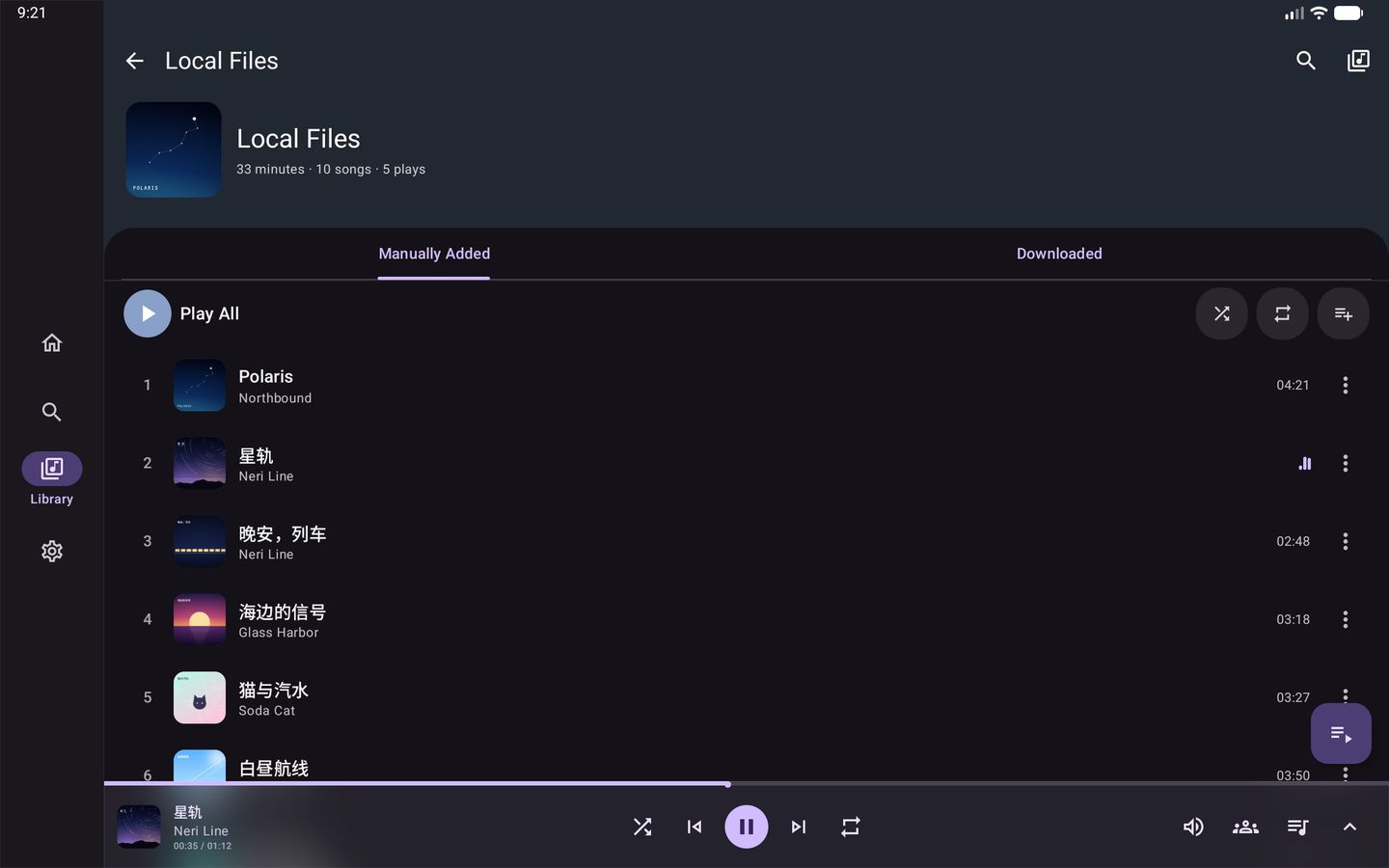
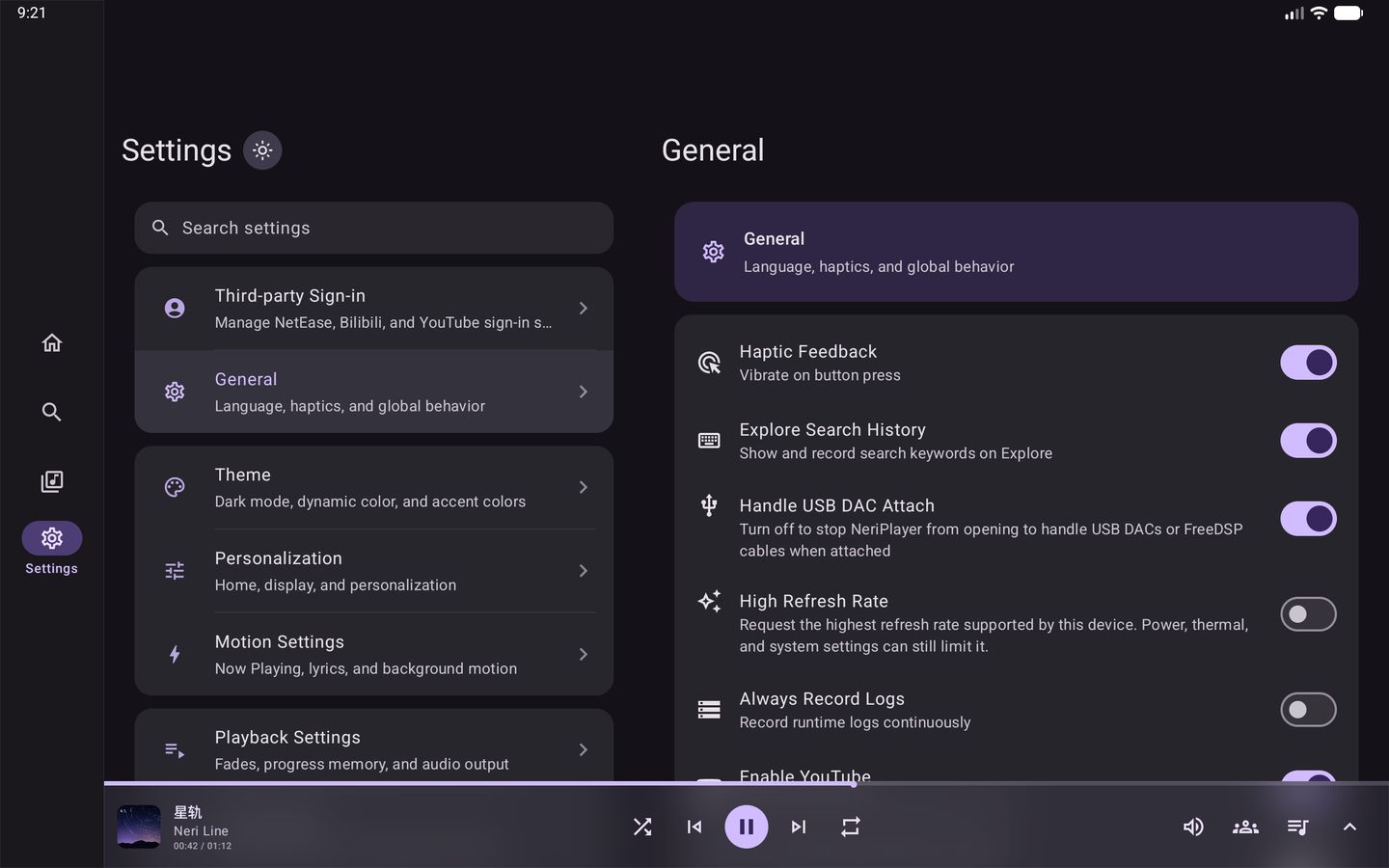
Turn a tablet or foldable sideways and the bottom bar becomes a side rail, Now Playing splits into cover and lyrics columns, settings sit list-and-detail side by side, and the mini player stretches into a full control bar. All four shots below are real captures from a Pixel Tablet emulator.

A shortest side of 600 dp or more counts as a tablet, free to rotate
600dp
From 840 dp of landscape width, a side rail and two-pane settings take over
840dp
Now Playing, Library, Settings… the main pages all have tablet layouts
4page types
Tablet home in landscape: side navigation rail, radar playlist cards and “Trending” in three columns 1 2 3 4
Tablet Now Playing in landscape: cover, progress and controls on the left, full bilingual lyrics on the right 1 2 3 4
Tablet playlist in landscape: header, Manually Added / Downloaded tabs and a full-width track list 1 2 3 4
Tablet settings in landscape: grouped list and search on the left, “General” details on the right 1 2 3 4
Fig. 09 — Pixel Tablet emulator · Android 16 · 2560 × 1600 landscape
  1. 01The bottom bar becomes a side rail, labeling the current page
  2. 02Home cards spread out with the width — five radar playlists in a row
  3. 03Charts split into three columns, nine songs at a glance
  4. 04The mini player becomes a full bar: skip, shuffle, repeat, volume, Listen Together and the queue, all within reach
  1. 01Cover, progress and controls stay in the left column at a fixed width
  2. 02Lyrics sit right in the right column, original and translation together — no separate page
  3. 03Wave progress bar, quality tag and all five tool buttons, nothing left out
  4. 04The background still takes its colors from the cover, across the whole screen
  1. 01Playlist header and track list scroll together on one page
  2. 02“Manually Added / Downloaded” tabs
  3. 03The list spans the full width, with durations and more actions aligned right
  4. 04A floating queue button jumps to what's playing
  1. 01Groups and search on the left, the same structure as on phones
  2. 02Details open on the right — no jumping back and forth
  3. 03The current group is highlighted, and the two panes stay in step
  4. 04The side rail and mini player bar are always there

Phones stay locked to portrait, and only Now Playing can rotate; tablets held upright get a Now Playing layout of their own.

10Details · 细节

The little details you meet every day.

Easy to overlook, but you run into them every day — so they got the same care.

10.1

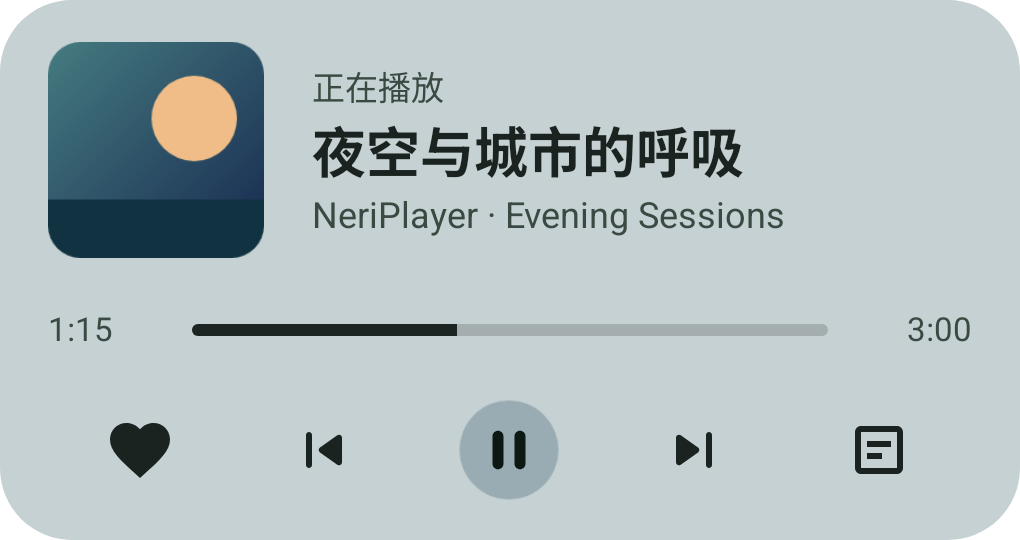
Home screen widgets

4×2 · 2×2 · 4×1
4×2 playback card widget preview
4 × 2
2×2 mini player widget preview
2 × 2
4×1 strip widget preview
4 × 1

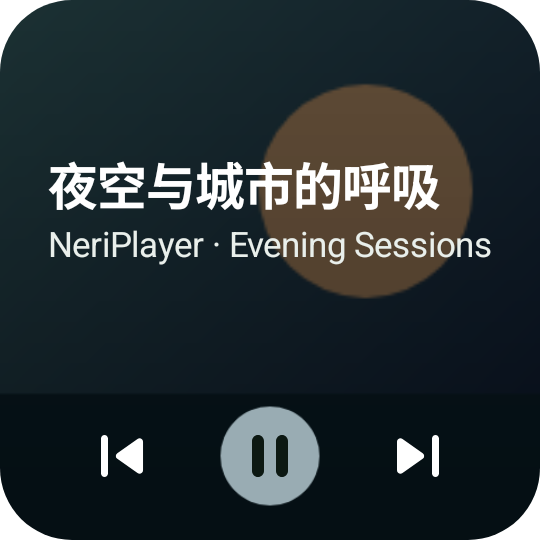
Material You rounded cards colored from the cover, adapting to light and dark themes, large fonts and both orientations. The wide card adds favorite and desktop-lyrics buttons; even the narrow sizes keep previous, play and next, and elapsed time ticks every second while playing.

Shown: the widget previews bundled with the app.

10.2

Launcher shortcuts

Long-press the app icon to jump straight in; when there's no queue to restore, you get feedback instead of a silent failure.

10.3

Mini player, swipe to skip

Swipe the bottom mini player left or right for the previous / next track; tap to expand and play / pause work as usual.

10.4

Floating & status-bar lyrics

Floating lyrics let you set color, outline, size, position and alignment; Meizu status-bar lyrics, SuperLyric, Lyricon and Bluetooth lyrics are supported.

10.5

In the car

Android Auto and devices with AVRCP browsing can browse the queue and playlists and search the library; connecting never starts playback by itself.

10.6

Safe mode

JVM crashes, native crashes and system ANRs are all recorded; after an abnormal exit, full initialization is skipped and the app goes straight into safe mode.

10.7

Resume long audio

Long podcasts and multi-part videos pick up where you left off; an explicitly requested position always wins over the remembered one.

10.8

Developer mode

It works the same on a real device: tap the version 7 times in Settings and a Debug tab appears in the nav bar, with per-platform probes and a log viewer.

11Inside · 构造

Fourteen modules, each minding its stretch.

The in-house Android libraries are split by domain, with dependency direction enforced in CI: :model depends on no implementation, :common on no business logic, and no library may depend on the app or form a cycle. The colored dots match the feature sections they serve.

Cross-reference 01 Play 02 Lyrics 03 Sources 04 Hi-Fi 05 Together 06 Local 07 Sync

Modules

  • :playback:runtimeMedia3 engine, source resolution, USB output, system effects
  • :playback:logicPlayback policy, state coordination, PCM and queue rules
  • :lyricsLRC / YRC / TTML parsing, translation alignment, Lyricon integration
  • :platformNetEase, Bilibili and YouTube protocols, accounts, comments
  • :nativeUSB protocol, PCM math, exclusive transfer, packaged as lib_neri.so
  • :listentogetherListen Together protocol, WebSocket, sessions and playback sync
  • :download:runtimeDownload execution, Room queue, managed files and recovery
  • :download:logicAdmission, state transitions, retries, scheduling and commit rules
  • :localSettings, media, playlists, stats, backup and cache cleanup
  • :syncGitHub / WebDAV transport, codecs, merging and scheduling
  • :databaseRoom entities, DAOs, schema history and migrations
  • :networkShared HTTP, Range and web-login foundations
  • :modelCross-module data models and state contracts
  • :commonShared utilities, logging, strings, icons and locale support

Tools

  • KotlinJava 17 / JVM 17
  • Jetpack ComposeSingle Activity · NavHost
  • Media3 ExoPlayerPlayback core
  • AGSL / GLSLRuntimeShader fluid background
  • Room · DataStoreLocal persistence
  • WorkManagerSync and download scheduling
  • OkHttp · CoilNetwork and images
  • KSPSettings schema generation
  • NDK · C++ · CMakelibusb, exclusive transfer
  • Protobuf · ZSTDV4 sync format
  • Cloudflare WorkersDurable Objects · WebSocket
  • GitHub ActionsCI, multi-ABI releases, sanitizer gates

12Download · 下载

Install it and start listening.

Pick the architecture (ABI) that matches your device and download in one tap. Version, file size and SHA-256 checksum are read live from GitHub Releases. It's free, with no ads of any kind.

Cut along the dotted line
NeriPlayer · Android package Free download APK
FromGitHubRELEASES
ToYour phone你的手机
Version
Latest
Released
—
Requires
Android 9+ · API 28
Price
Free · GPL-3.0
Choose architecture · ABI
Release — Downloads—
12.1

Releaserecommended

Published by hand once a batch of features lands, built for four ABIs: arm64-v8a, armeabi-v7a, x86 and x86_64. It isn't a strictly stable channel and may still hide issues that haven't surfaced yet.

GitHub Releases ↗
12.3

Build from source

JDK 17
# Clone the repo with its submodules
git clone --recursive https://github.com/cwuom/NeriPlayer.git
cd NeriPlayer
# Build a debug APK and install it
./gradlew :app:assembleDebug
adb install -r app/build/outputs/apk/debug/app-debug.apk

The DEBUG build uses the package moe.ouom.neriplayer.debug and an orange icon, so it installs alongside the release.

Which ABI?

arm64-v8aNearly every phone and tablet from recent years
armeabi-v7aOlder 32-bit ARM devices
x86_64 / x86Emulators, Intel devices or Chromebooks

First launch

Read the disclaimer and finish onboarding first. Onboarding explains the notification and local music permissions, which are only requested when you tap — skipping them won't stop you from using the app.

Latest train

  • Checking GitHub for the latest version…

iFAQ · 常见问题

Anything you'd like to ask?

Q.Does NeriPlayer cost anything? Can I donate?

It's completely free and open source under GPL-3.0. Because of the nature of the project, the maintainers don't accept sponsorships, donations or commercial funding of any kind. If you'd like to support it, open an issue or a PR, or share it with someone who needs it.

Q.Does it come with music?

No. NeriPlayer doesn't run a public cloud library or any media distribution service. Online features rely on your own authorized accounts on third-party platforms, and premium or restricted content still follows each platform's rules. Only access, play or save content you own the rights to, are authorized for, or that the platform's rules allow.

Q.Where does my data get uploaded?

Nowhere, by default: playback cache, downloads, playlists, history, stats, settings and credentials all stay on your device. Only when you turn on GitHub or WebDAV sync does metadata — playlists, favorites, recent plays and play stats — get written to a remote you control. Audio cache, downloads, cookies and playback tokens are never uploaded to anyone.

Q.Why not sync play history back to NetEase and other platforms?

It's not that the app can't. But clients of centralized music platforms usually come with risk controls and behavior sampling, and reporting local play history directly could trigger suspicious-login flags, abnormal-playback flags or even a frozen account. To keep your account safe, NeriPlayer doesn't upload local play history or stats to these platforms for now.

Q.Which Android versions are supported?

Android 9 (API 28) and later. The RuntimeShader fluid background and advanced blur on Now Playing need Android 13+, and cover blur needs Android 12+; older versions fall back gracefully without affecting playback itself.

Q.Where is lyric romanization?

It only appears when the current song has romanization data. When it's on, romanization sits right beneath the original, in the translation's place; songs without it (Chinese songs, for example) only show “Trans”.

Q.Do I have to host my own server for Listen Together?

Not necessarily. You can use a server someone else has deployed, or deploy your own NeriPlayer-LTW to Cloudflare Workers in one click, then enter its address in Settings and test it. Room codes are 6 readable characters; local songs can't start a Listen Together room.

Q.Is GitHub / WebDAV sync end-to-end encrypted?

No. Credentials are stored on the device encrypted with Android Keystore, but files synced to the remote aren't end-to-end encrypted, so keep your repository and WebDAV account safe. A full config export includes credentials — it's meant for moving your own setup, so don't share it publicly.

Q.Will USB exclusive work with my DAC?

It currently targets UAC1.0 devices and UAC2.0-compatible Type I PCM devices. UAC2 asynchronous links only accept devices with a single resolvable explicit feedback endpoint and a supported clock topology; anything else takes the compatible fallback. If the system restricts playback with the screen off, lift the battery and background restrictions as Settings suggests.

Q.Found a problem — what's the best way to report it?

First tap the version 7 times in Settings to turn on developer mode; the app then writes file logs, with crash logs saved separately. Then open a GitHub issue with your Android version, device model, app version, steps to reproduce and the relevant logs. You can also filter logs with adb:

adb logcat | findstr NeriPlayer   # Windows
adb logcat | grep NeriPlayer      # Linux / macOS

Also note that a global proxy can make some third-party APIs return bad data, so set up your proxy rules sensibly.